Click Virtual Mouse

Simulates mouse click with co-ordinates, by firing mousedown then mouseup events.
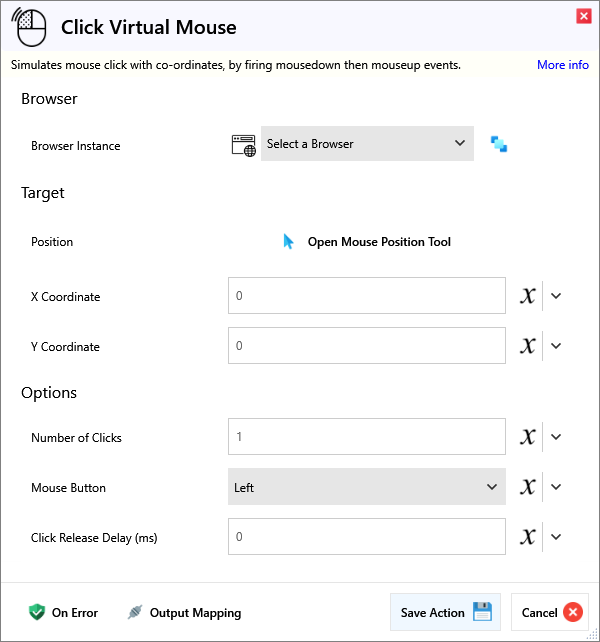
Input
Browser
| Name | Required | Description |
|---|---|---|
| Browser Instance | Which browser instance to run against. |
Target
| Name | Required | Description |
|---|---|---|
| Position | A tool to help you visualise the mouse position. | |
| X Coordinate | X Coordinate relative to the top-left point of the viewport. | |
| Y Coordinate | Y Coordinate relative to the top-left point of the viewport. |
Options
| Name | Required | Description |
|---|---|---|
| Number of Clicks | How many times you want to click the element. Default is 1. | |
| Mouse Button | Which mouse button you want to click with. Default is Left. | |
| Click Release Delay (ms) | How long to wait in milliseconds after clicking to release the mouse button. |
Output
| Name | Required | Description |
|---|---|---|
| Action Success | True if the action passed, false if it failed. |